The webcam market spent years being ignored. Then remote work happened, streaming exploded, and suddenly everyone noticed that the camera built into their laptop looked like it was filmed through a car window in 1997. The upgrade cycle started, the options multiplied, and now — deep in 2026 — you have two genuinely excellent AI-powered 4K webcams competing for the top spot on your desk: the OBSBOT Tiny 2 and the Insta360 Link 2.
Both mount on your monitor. Both track your face. Both shoot 4K. Both cost around $150–$200. On paper, the choice looks nearly impossible. In practice, the differences matter — a lot — depending on how and where you use them. This is a full head-to-head, no hedging, no fence-sitting.
Design and Build: Two Very Different Philosophies
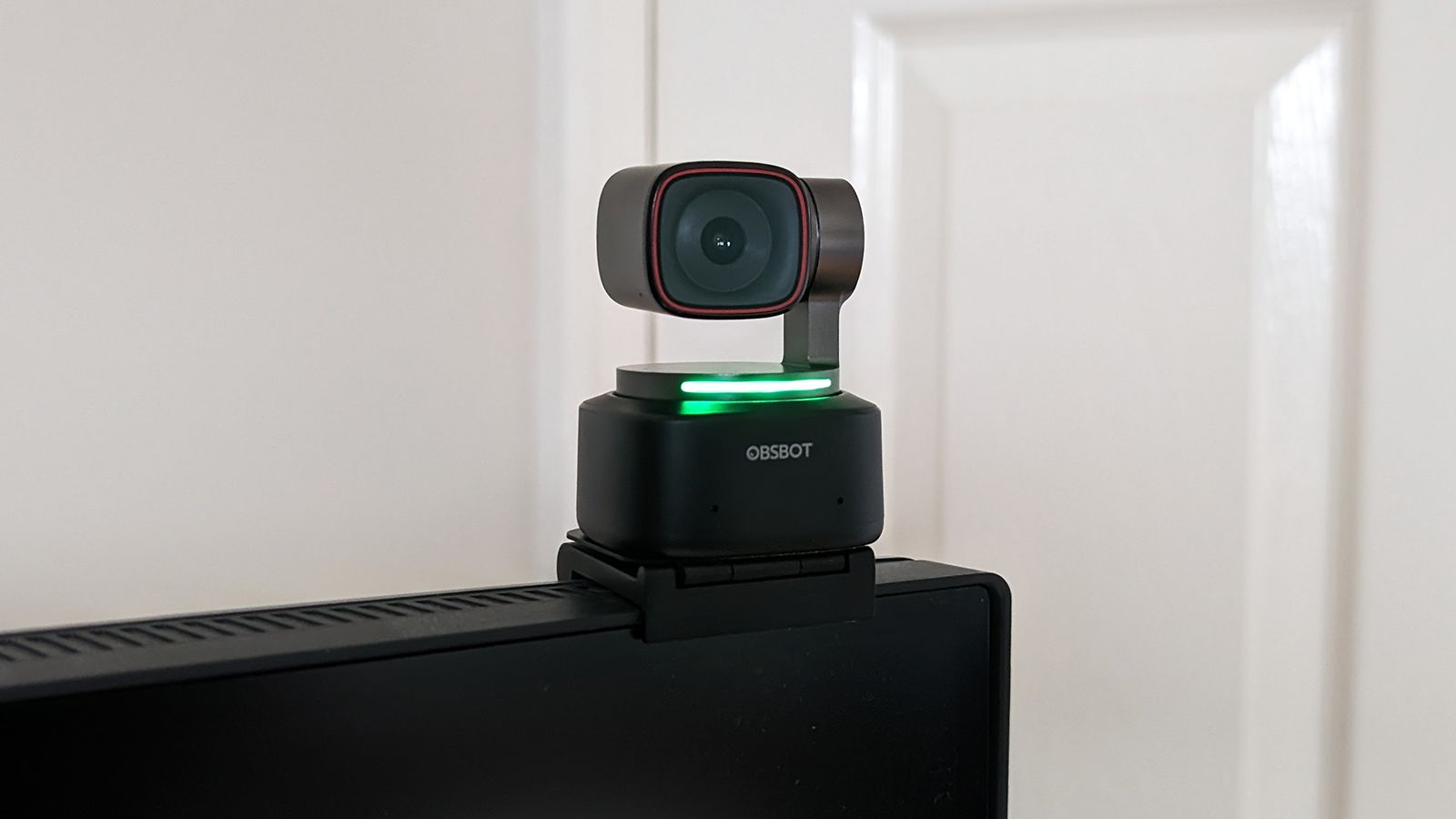
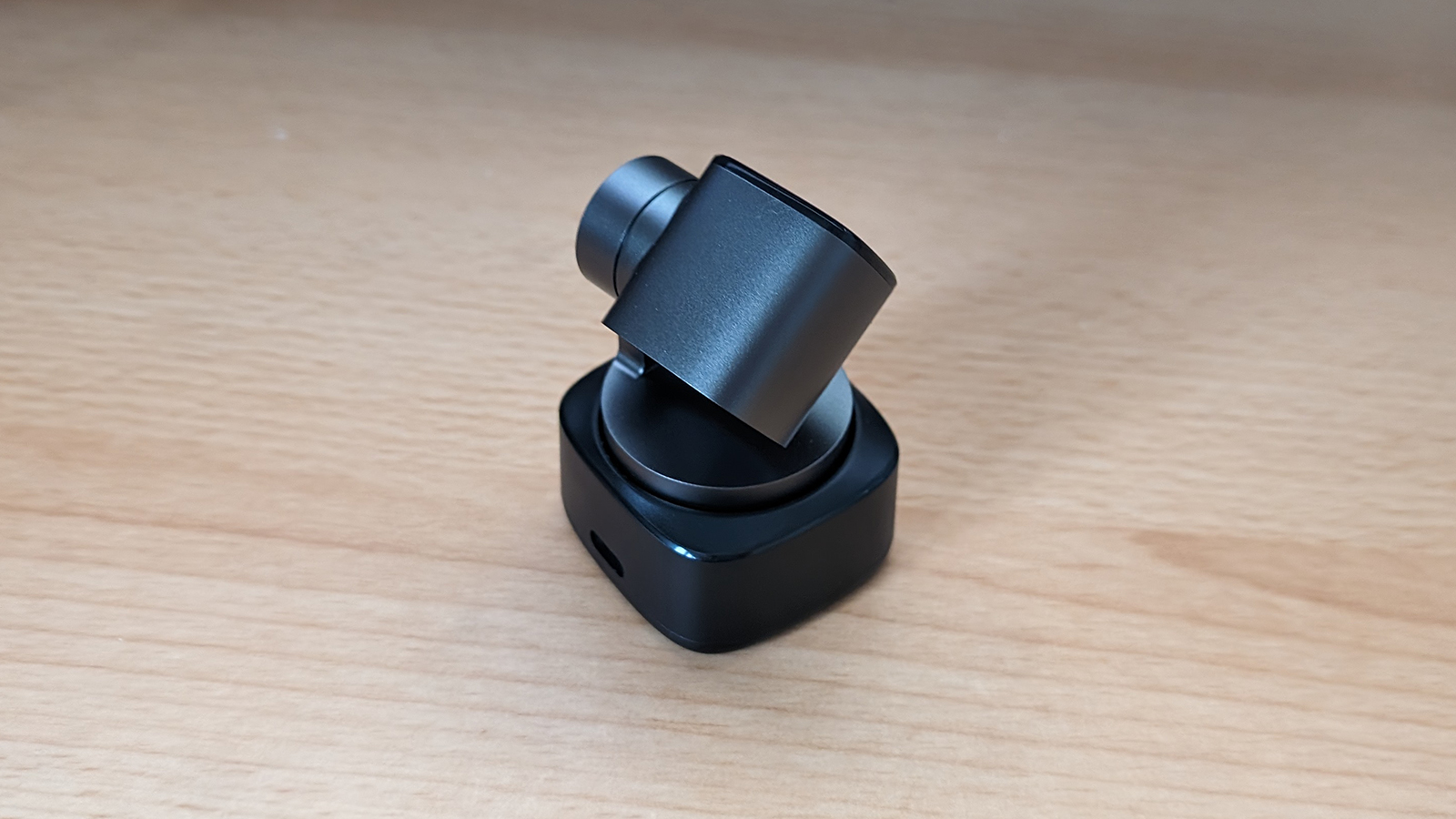
Pick up the OBSBOT Tiny 2 and the first thing you notice is that it feels like a tiny PTZ broadcast camera that somehow ended up at consumer price. It has a two-axis gimbal — meaning the camera head physically pans and tilts — and the whole unit sits on a weighted base. That red trim ring around the lens has become recognizable enough that people in video calls will comment on it. It looks like a piece of gear. It broadcasts "I take this seriously."
The Insta360 Link 2 takes the opposite approach. Its design is compact and geometric, almost understated — a rectangular head on a gimbal mount with a glowing green ring that lights up when active. Insta360's DNA here is obvious: they're a camera company that makes things look intentional without being showy. The Link 2 also has a two-axis gimbal, matching OBSBOT's range of motion, and the overall footprint on your monitor is slightly smaller.
Both feel well-built. Neither wobbles, neither feels cheap. OBSBOT edges Insta360 on visual presence; Insta360 edges OBSBOT on desk real estate. If you have a crowded setup with a mic arm and a ring light already competing for monitor space, the Link 2 wins by default.
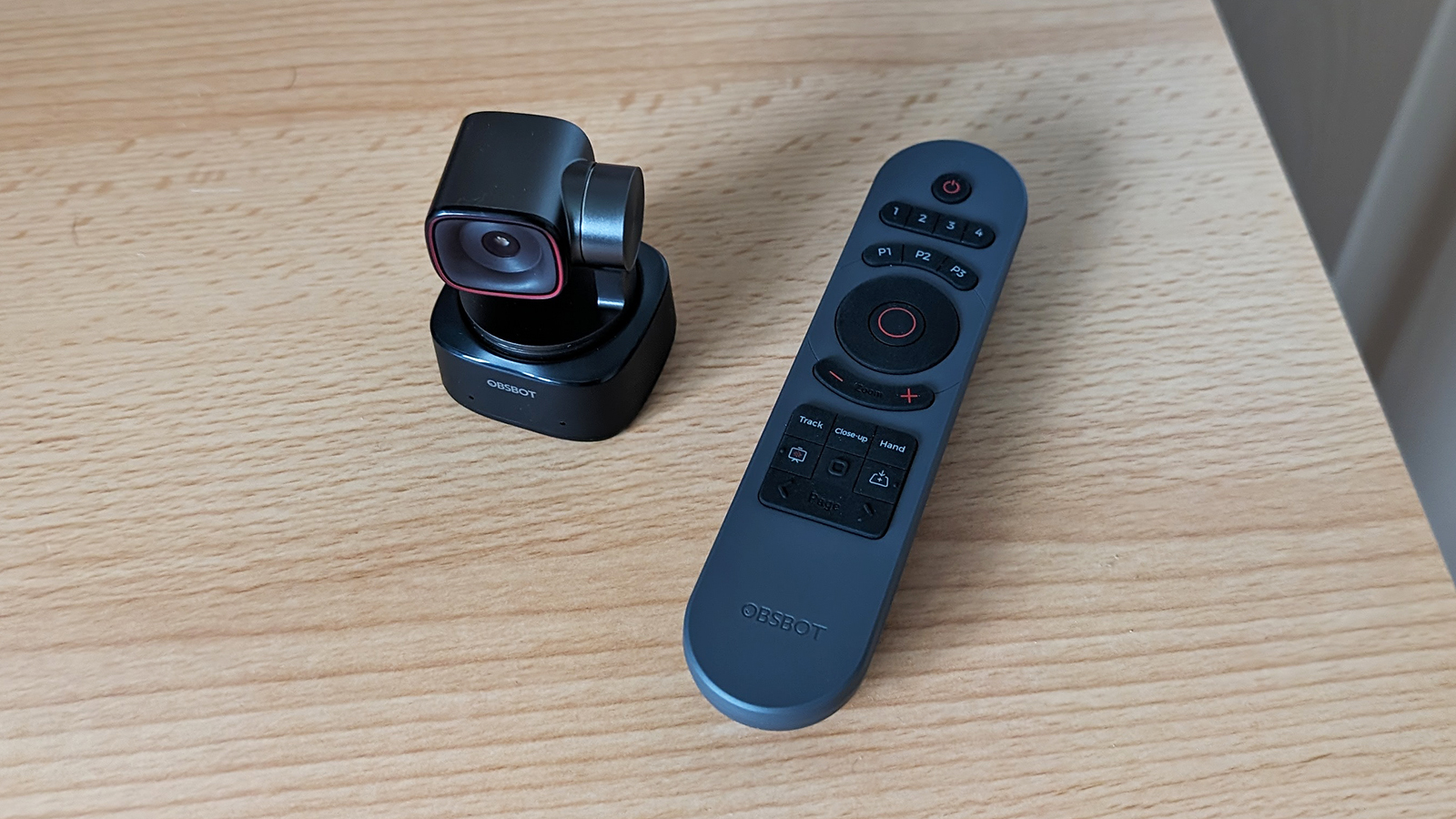
Image Quality: Both Are Genuinely Good. One Is Slightly Better.
In ideal lighting — window light, softbox, decent overheads — both cameras produce footage that will make you look like a professional. That's not marketing copy; it's just what 4K optics with F/1.8 apertures do when they have enough photons to work with. Colors are accurate, depth-of-field is convincingly shallow, and the sharpness is in a completely different universe from any laptop camera ever made.
Where they diverge is in the difficult conditions that describe most of the planet's home offices and streaming setups. The OBSBOT Tiny 2 uses a 1/2" CMOS sensor — a good size for this category. The Insta360 Link 2 also uses a 1/2" sensor. On paper: identical. In use, Insta360's image processing pipeline is slightly more aggressive and polished. HDR kicks in faster, low-light recovery is cleaner, and the bokeh effect — when you enable it in software — looks more natural and less like a blur filter slapped over the background.
The gap is not massive. If someone showed you both feeds side-by-side in a Zoom call you'd probably say "that one's a bit nicer" rather than "that one is dramatically superior." But Insta360's color science has years of 360-degree camera development behind it, and it shows. For pure image quality in mixed and challenging lighting, Link 2 wins by a nose.

AI Tracking: The Thing You Actually Bought This For
Both cameras offer AI subject tracking via a physical gimbal — real hardware motion, not a digital crop. This matters. When a webcam "tracks" you by digitally cropping into a 4K feed and panning virtually, you always lose resolution. When it physically moves a lens to follow you, you keep all your pixels. Both OBSBOT and Insta360 do the physical version, which is why both are worth considering over the many software-only tracking alternatives.
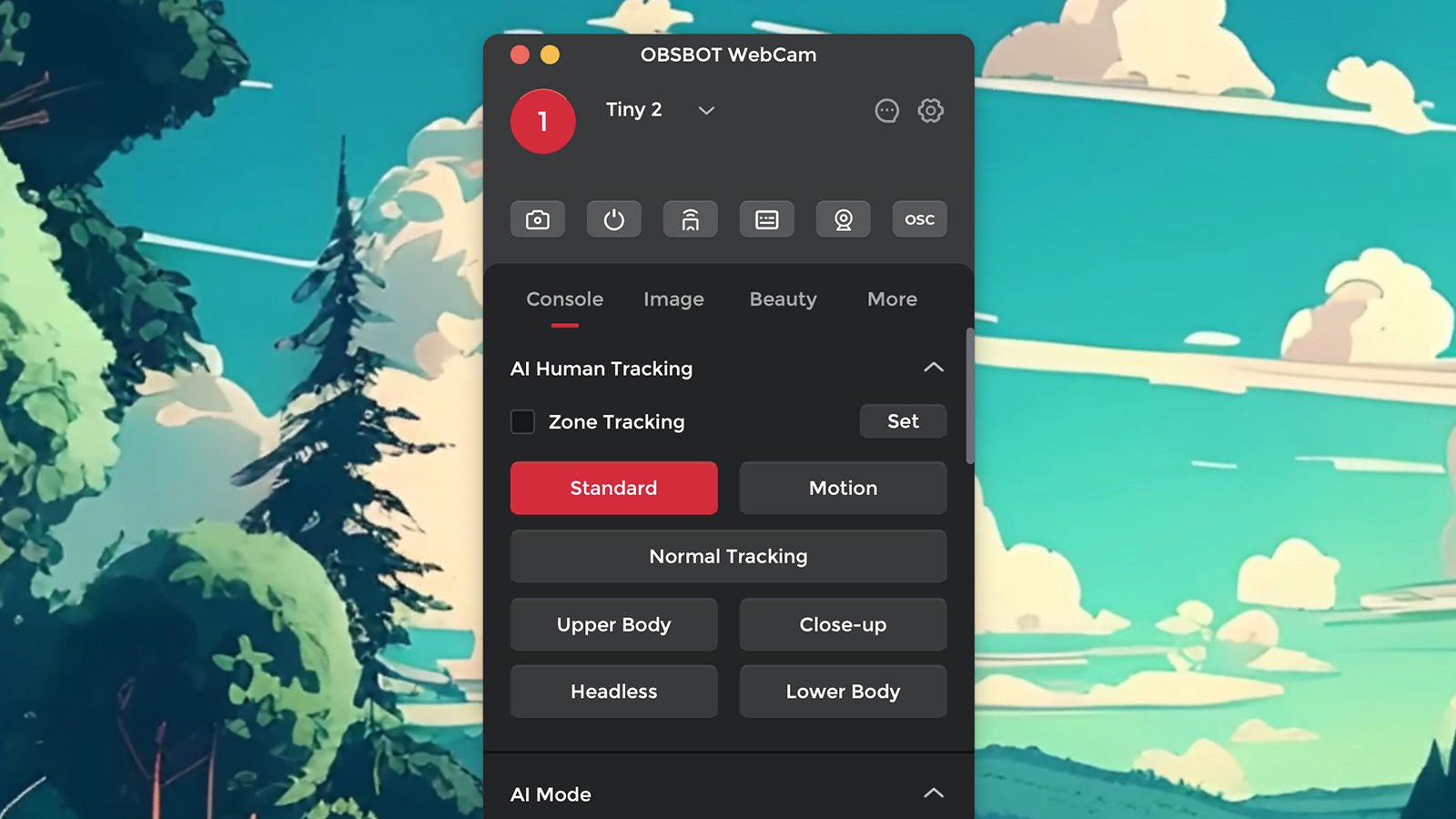
OBSBOT's tracking is aggressive and fast. It locks on quickly, follows confidently, and almost never loses a subject. The OBSBOT Center software gives you granular control over tracking sensitivity, and the Tiny Smart Remote 2 (sold as a combo or separately) lets you switch tracking modes with a single button press — useful if you're mid-presentation and need to snap to a preset position. The preset system is strong: you can save three positions and recall them instantly, which is something streamers and educators lean on heavily.
Insta360's tracking is equally accurate but handles group scenarios noticeably better. The Link 2's Group Tracking mode keeps multiple people framed naturally, which is a genuine differentiator if you co-host or teach in a space with more than one person. OBSBOT handles multiple subjects less elegantly — it tends to pick one and chase it. For solo creators, this is a non-issue. For anyone who regularly has a guest or co-host in frame, Insta360 pulls ahead here.
Audio: The Category Neither Is Winning, But One Tries Harder
Built-in webcam microphones are not good. That's a baseline truth of the category. Both OBSBOT and Insta360 know this, and both have invested in AI noise cancellation to make their built-ins more tolerable than the competition. If you're on a budget or don't want a separate mic, either will get you through a Zoom call without embarrassing yourself.
Insta360 takes audio more seriously, though. The Link 2 ships with three dedicated audio profiles — Voice Focus (suppresses everything but you), Voice Suppression (kills keyboard and background noise), and Music Balance (preserves instrument tones for music creators). These are accessible in the Link Controller app and actually work. The difference between Voice Suppression off and on in a mechanical keyboard environment is significant enough to be the deciding factor for some buyers.
OBSBOT's noise cancellation is functional but less configurable. You get it, it helps, but you don't get the same profile-based control. If audio quality from the built-in mic matters to you, Insta360 wins this round clearly. If you're using an external mic anyway — which you probably should — this category is irrelevant to your decision.
Software: Two Different Approaches to Control
OBSBOT Center is a mature, clean desktop application. It gives you full control over image settings, AI modes, preset positions, and firmware updates. The companion app extends this to your phone, meaning you can adjust zoom, switch tracking targets, and change modes without touching your keyboard mid-stream. For streamers who need frictionless live control, this is a meaningful advantage.
Insta360's Link Controller is equally polished but leans harder into scenario-based presets: streaming, conferencing, presentation, DeskView. Smart Whiteboard Mode — which auto-detects and frames your whiteboard — is genuinely impressive for educators and presenters. The Pause-Track Zones feature, which tells the gimbal to stop following you when you enter certain areas of the frame, is something OBSBOT simply doesn't have. For complex, multi-zone setups, Insta360's software ecosystem is more feature-rich.
Both apps are available for Mac and Windows. Neither requires a subscription. Both update regularly.
Compatibility and Setup
Both cameras connect via USB-C and are plug-and-play with every major platform: Zoom, Microsoft Teams, Google Meet, Webex, OBS, Streamlabs, and XSplit. Neither requires driver installation on modern operating systems, though you'll want the companion software for full feature access.
OBSBOT adds an interesting wrinkle: the Tiny Smart Remote 2 communicates via Bluetooth and acts as a standalone controller that works even when your software isn't open. For educators who need to switch modes between lessons without touching a keyboard, this is legitimately useful. Insta360 offers remote control via smartphone but not a dedicated hardware remote.
Setup time for both is under five minutes. Mount to monitor, plug in USB-C, install software, done. The magnetic mount systems on newer versions of both make repositioning fast.
Price and Value
At time of writing, the OBSBOT Tiny 2 sits at around $179 as a standalone unit and $249 bundled with the Tiny Smart Remote 2. The Insta360 Link 2 is priced at $199, while the newer Link 2 Pro (with a larger 1/1.3" sensor) runs $299. For this comparison, we're treating the standard Link 2 as the direct competitor to the Tiny 2.
Both represent strong value in the 4K AI webcam category, which hasn't historically been cheap. The real question is whether the premium over a solid $100 webcam is worth it. For anyone who moves around during calls, streams, teaches online, or simply wants to look dramatically better on video — yes, the AI tracking alone justifies the price gap.
Who Should Buy Which One
Buy the OBSBOT Tiny 2 if: You stream solo, want a physical remote controller, do a lot of preset-based positioning, or simply want the more recognizable "professional setup" aesthetic. OBSBOT's tracking is fast and reliable, the software is mature, and the remote controller combo is one of the best setups in the category for live content creators who can't be clicking through menus mid-stream.
Buy the Insta360 Link 2 if: You teach online with a whiteboard, frequently have multiple people in frame, care about built-in audio quality, or want the most polished image processing in the category. Insta360's camera heritage shows in the image quality, the Group Tracking is genuinely better, and the scenario-based software modes are more versatile for professional video conferencing and education use cases.
Both cameras will make you look significantly better on every call, every stream, and every lesson. The gap between them is smaller than the gap between either of them and not having one. But if you're spending $200, you deserve a clear answer: Insta360 Link 2 for image quality and versatility; OBSBOT Tiny 2 for streaming control and physical flexibility. Pick the one that matches how you actually work.